![Picture1-1.png]](https://faqs.safetynetsolutions.co.uk/hs-fs/hubfs/Picture1-1.png?width=36&height=18&name=Picture1-1.png)
SKYTOUCH.CLOUD is designed to be able to run in Kiosk Mode and not require a user login.
The access is managed via a Login Code.
This is HEX and is generated within SKYVISITOR at admin level, and is applicable per SKYTOUCH Profile.
You can advise us of the code you would like to use, or we can generate one for you.
We can also provide your Login Code as a QR code for you to scan with the device's camera, if required.
A SKYTOUCH Profile is built to determine the 'journey' a Kiosk User will follow.
This includes which screens are displayed, in which order, and which choices they have with regards to purpose of visit / visit user type, as well as data display.
Safetynet to provide URL for each Profile instance and apply Login code agreed with the client admin.
I.E.: https://login.skyvisitor.cloud/skytouch/YOURPROFILECODE
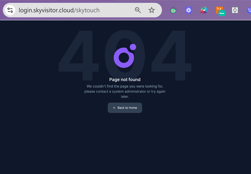
INCORRECT:
Note: Accessing the url without the Login Code will result in 404
CORRECT:
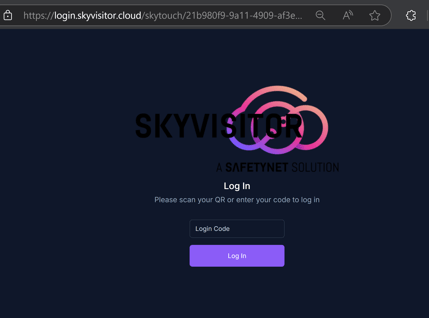
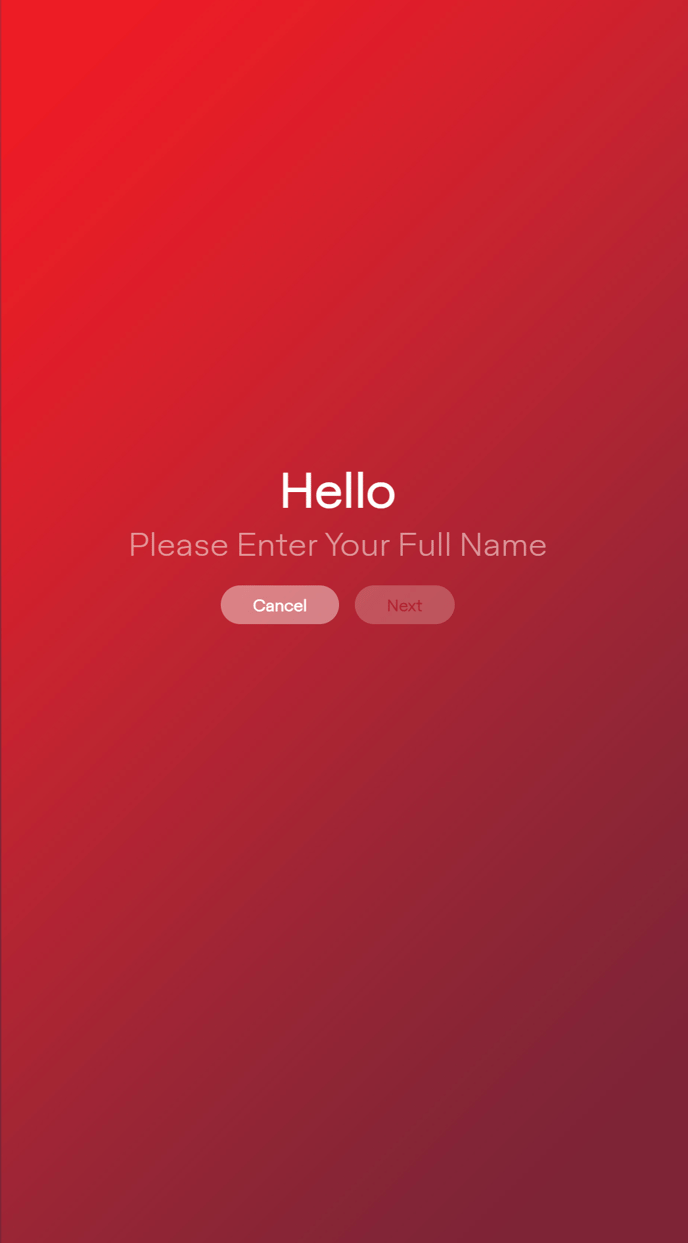
Once the Login Code is entered the SKYTOUCH Profile will automatically run - ready to welcome your Guests
ON SITE ACTIVATION STEPS:
-
Configure Kiosk Mode to given URL.
-
Switch Machine on in Kiosk Mode.
-
SKYTOUCH Login screen will be presented
-
Scan code (using camera) to launch App to chosen profile (PIN alternative)
You can run it in a browser not in Kiosk mode - and use F11 to full screen.
There are IS advantages to running in as a Windows Kiosk User rather than just browser.
E.g.
Running a web app as a Windows Kiosk User, rather than just in a regular browser session, offers several advantages, primarily related to security, control, and a more focused user experience:
Here's a breakdown of the benefits:
1. Enhanced Security:
- Restricted Access: Kiosk mode locks down the device to a single application (the web browser running your web app) or a specific set of allowed applications. This prevents users from accessing other parts of the operating system, settings, files, or other software, reducing the risk of tampering or malicious activity.
- Controlled Browsing: Kiosk configurations can often restrict browser functionality. This might include disabling the address bar, preventing navigation to unauthorized websites, and controlling available browser features (like printing, downloads, etc.).
- Protection Against Unwanted Changes: Users cannot easily alter system settings or install unauthorized software.
2. Improved User Experience for the Web App:
- Focused Interaction: By limiting the device to the web app, you create a dedicated experience, reducing distractions and guiding the user directly to the intended purpose.
- Full-Screen Mode: Kiosk mode often runs the application in full screen, providing a more immersive and seamless experience for the web app.
- Auto-Start: You can configure a kiosk user to automatically log in and launch the browser with the web app upon device startup.
3. Better Control and Management:
- Centralized Management (with MDM): When using a Mobile Device Management (MDM) solution to manage kiosk devices, you gain centralized control over configuration, updates, and monitoring.
- Consistent Environment: Ensures that every user interacts with the web app in a consistent and controlled environment.
- Usage Logging: Web applications inherently often track usage, providing insights into how the kiosk is being used.
In summary:
Think of it this way: running a web app in a regular browser is like opening a website on your personal computer – you have access to everything else. Running a web app as a Windows Kiosk User transforms the device into a dedicated appliance for that specific web app, offering a more secure, controlled, and focused experience.
The best choice depends on the specific use case. If you need a publicly accessible terminal, a point-of-sale system, or a digital sign displaying a web app, then using a Windows Kiosk User is highly advantageous.