![Picture1-1.png]](https://faqs.safetynetsolutions.co.uk/hs-fs/hubfs/Picture1-1.png?width=36&height=18&name=Picture1-1.png)
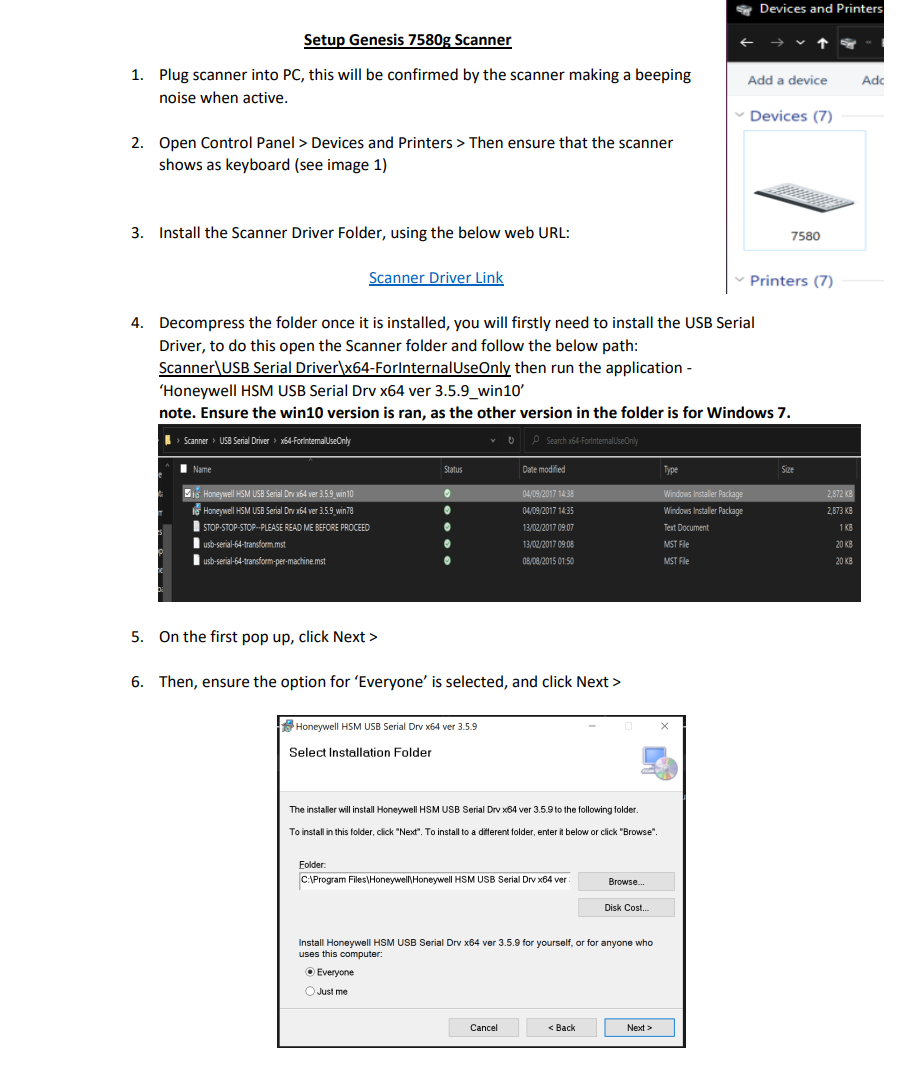
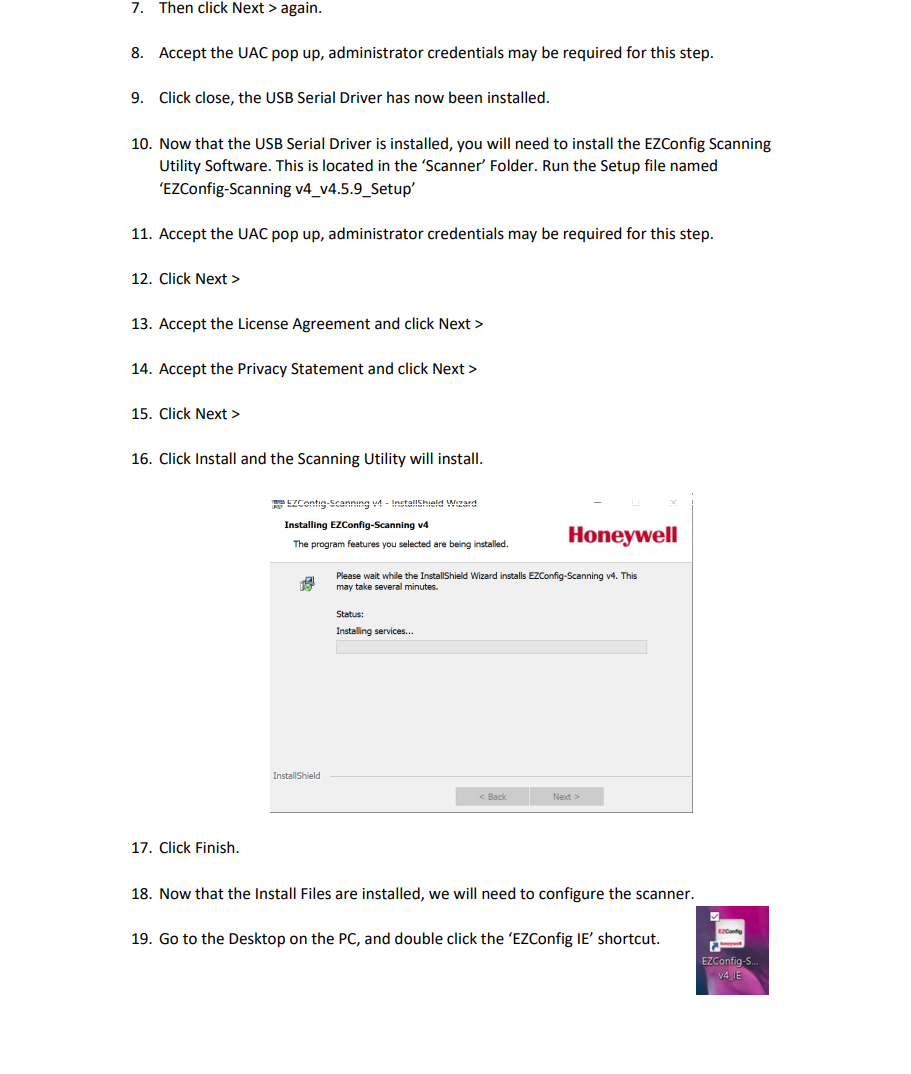 Note: when the browser first loads, it will show an error, as it needs to be run in IE mode. This can be done via the browser settings.
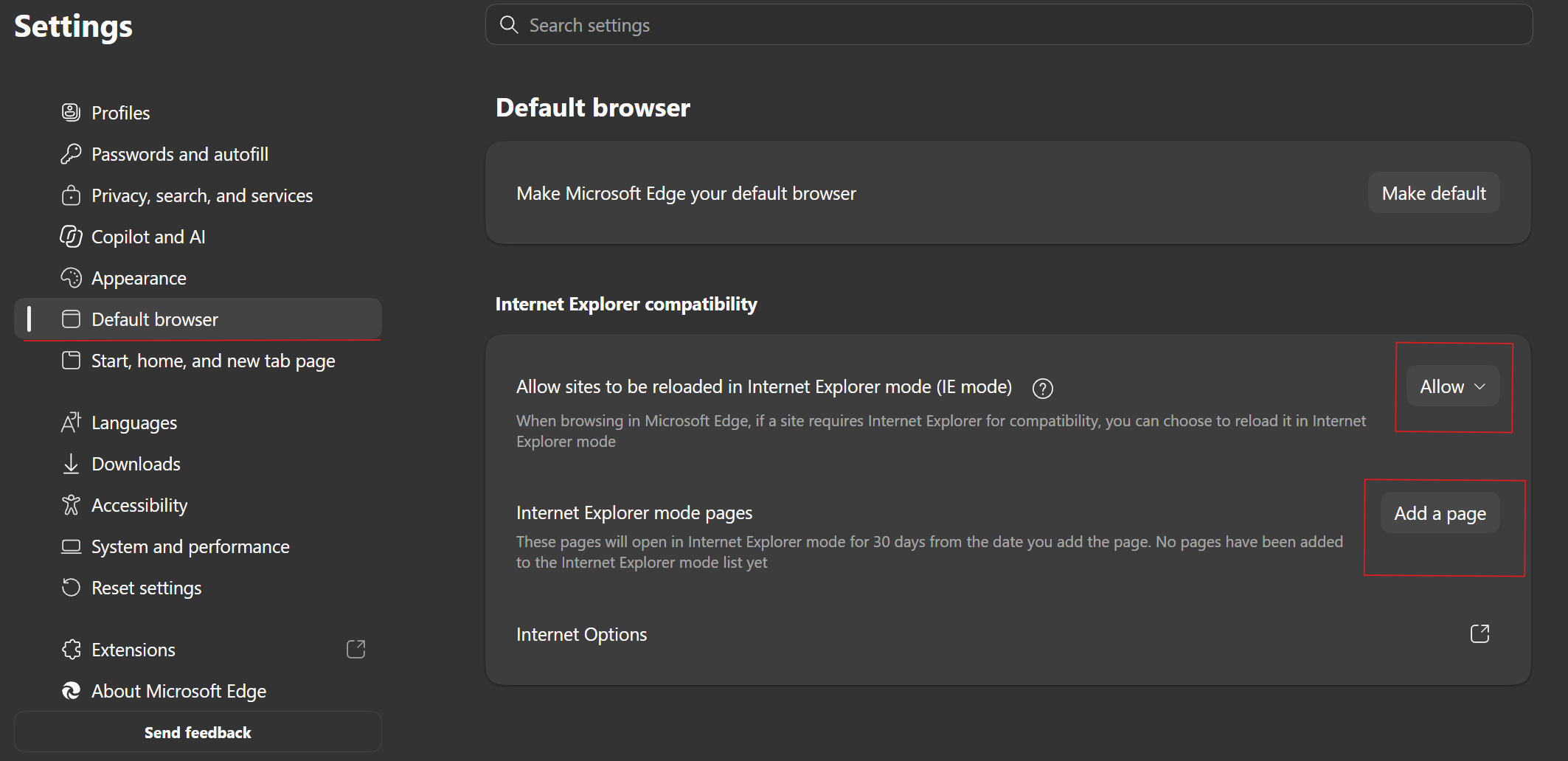
Copy the URL from the EZConfig page -> Three dots in top right ... -> Settings -> Browser Defaults -> IE MODE, ALLOW -> Add Page -> Paste EZCONFIG URL
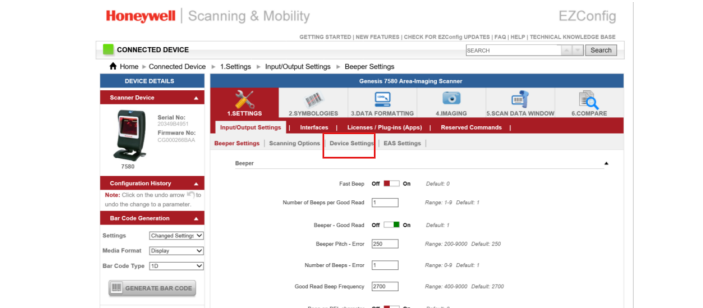
Browser will then ask to restart and display the following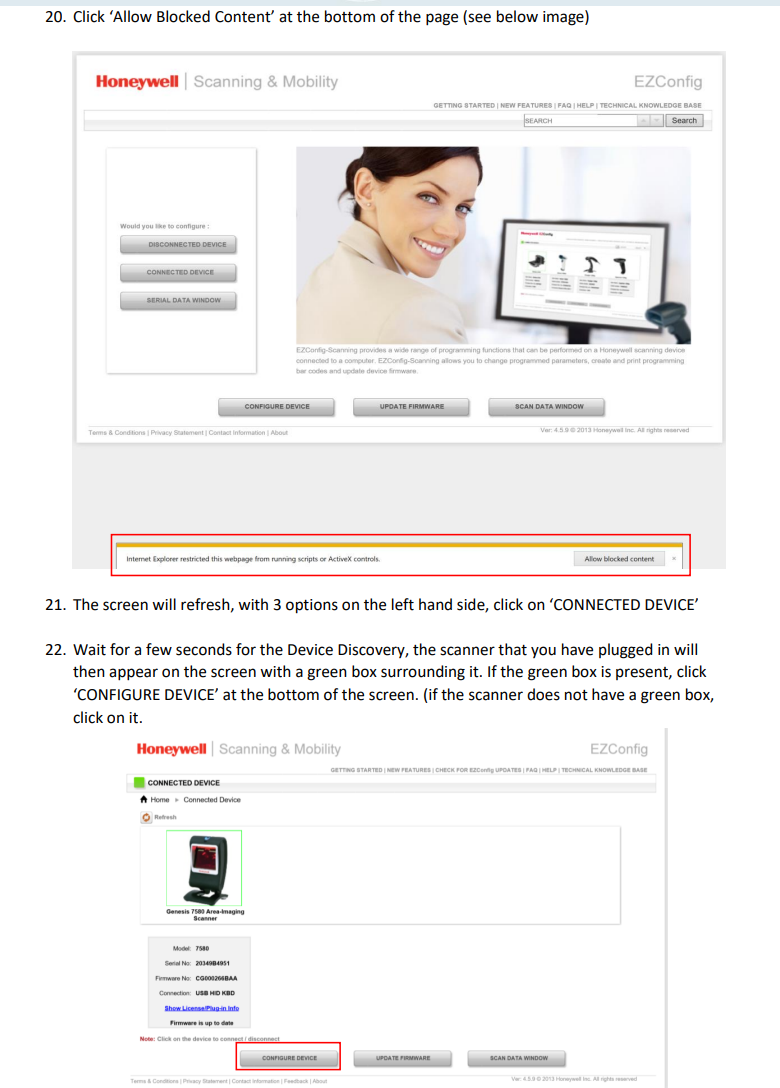 Once loaded, click DEVICE SETTINGS
FIND MOBILE DEVICE - PRESENTATION MODE and click the SEND COMMAND option.
Scanner is now configured and ready for use