![Picture1-1.png]](https://faqs.safetynetsolutions.co.uk/hs-fs/hubfs/Picture1-1.png?width=36&height=18&name=Picture1-1.png)
Go to Control Panel -> Hardware and Sound -> Devices and Printers.
Right click on the Magicard printer and select Printing preferences.
Set the Card Front colour format to Monochrome (K-Resin only).
Now navigate to Advanced -> Rewriteable cards -> Define...
Set it up like below:
Choose the Erase/Rewrite option
Erase power to 60 for a cleaner erase.
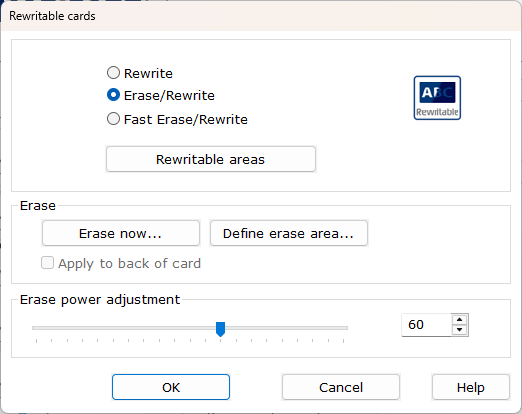
"Erase now..." can be selected if one or more cards are needed to be cleared.