![Picture1-1.png]](https://faqs.safetynetsolutions.co.uk/hs-fs/hubfs/Picture1-1.png?width=36&height=18&name=Picture1-1.png)
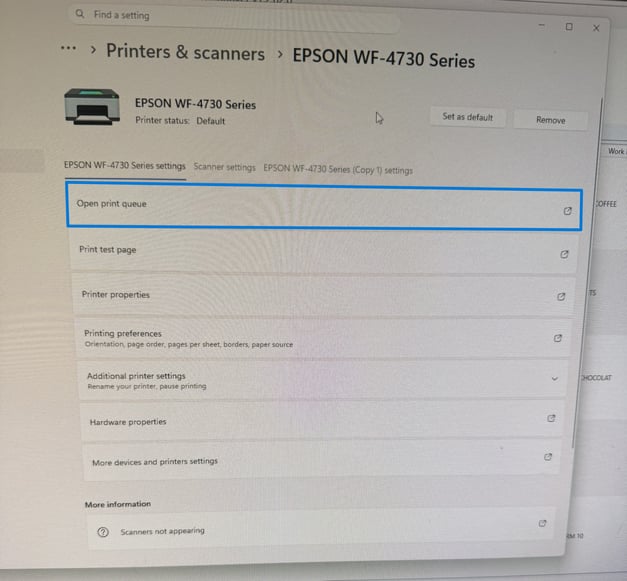
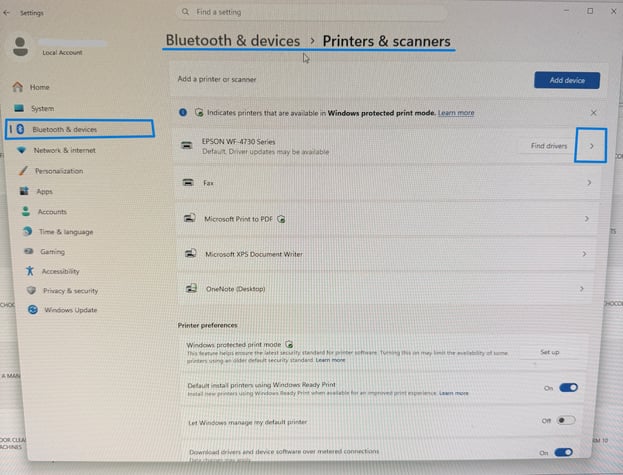
Windows now lists its printers and devices in Settings
To access the print queue, navigate to the following prompts:
- Click the WINDOWS ICON located at the bottom of the screen
- Search and select the settings option
- Select Bluetooth & Devices -> Printers & Scanners -> *Printer Name*
- Open the print queue and delete all items currently in the queue, holding up all the new requests from being processed.